





Small Business IT Budget: What to Include and How to Plan It
Technology has become one of the most important operating expenses for almost every small business. Computers, cloud services, cybersecurity, internet access, software subscriptions, backups, support, and equipment replacement all need to be planned for — yet IT is still often treated as an unexpected expense rather than a predictable part of the annual budget.
A well-planned IT budget helps reduce surprises, keeps technology reliable, and gives your business room to grow without scrambling every time a computer fails or a software licence comes up for renewal.
Your IT Budget Should Be a Plan — Not a Collection of Emergencies
Many small businesses don’t really have an IT budget.
They have IT expenses.
A computer breaks, so they buy another one. A software subscription renews. The internet bill arrives. Someone needs a new monitor. A cybersecurity issue suddenly requires attention.
Individually, each expense may seem manageable.
But without planning, technology spending can become unpredictable very quickly.
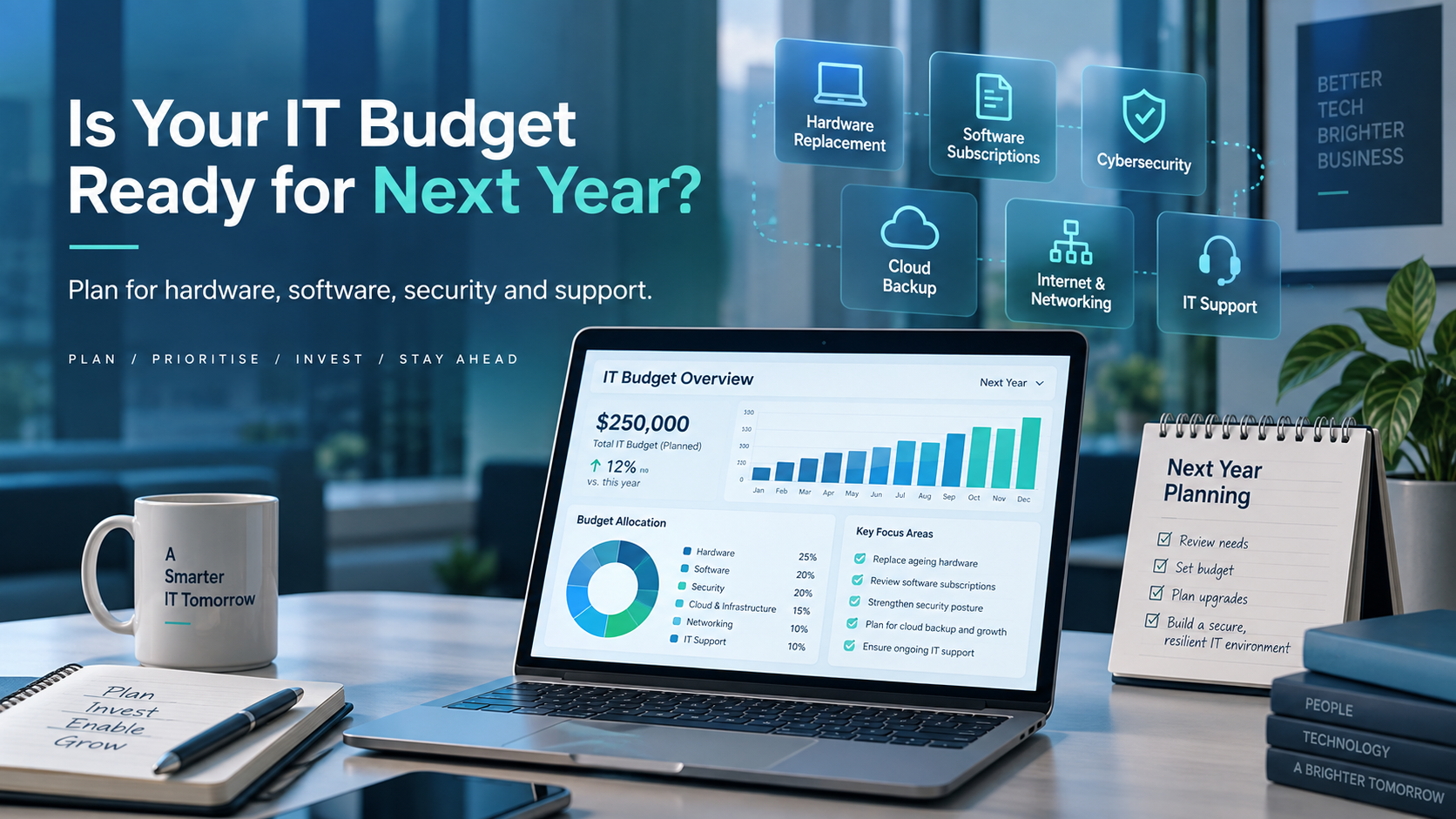
A proper IT budget looks ahead at the technology your business already depends on, the equipment that will eventually need replacing, the security controls you need, and the projects you expect to complete over the coming year.
The goal is not simply to spend less.
The goal is to spend deliberately.
Start With What You Already Have
Before planning next year’s technology spending, create an inventory of what your business is already using.
That may include:
- Desktop and laptop computers
- Monitors and docking stations
- Servers or network-attached storage
- Printers and scanners
- Firewalls, switches, and Wi-Fi equipment
- Business internet service
- Microsoft 365 or Google Workspace
- Accounting software
- CRM systems
- Industry-specific applications
- Cloud storage
- Backup services
- Cybersecurity tools
- Website and domain services
- IT support agreements
This gives you a much clearer picture of where your technology dollars are already going.
It also helps uncover subscriptions that may have been forgotten, services that are no longer needed, and equipment approaching the end of its useful life.
Separate Recurring Costs From One-Time Purchases
One of the easiest ways to make an IT budget easier to manage is to divide spending into two categories.
Recurring IT Costs
These are expenses that happen monthly or annually and are generally predictable.
Examples include:
- Microsoft 365 or Google Workspace licences
- Cybersecurity subscriptions
- Cloud backup services
- Internet and connectivity
- Cloud hosting
- Software subscriptions
- Website hosting
- Domain registrations
- Managed IT support
- Email security
- Remote access or VPN services
These expenses form the foundation of your IT budget because they can usually be forecast quite accurately.
One-Time or Project Costs
These costs happen less frequently but can have a much larger impact on cash flow.
Examples include:
- Replacing computers
- Replacing network equipment
- Office moves
- Server upgrades
- New software implementations
- Cybersecurity projects
- Cloud migrations
- New employee equipment
- Phone system changes
Identifying these projects in advance makes them much easier to budget for.
Plan for Computer Replacement Before Computers Fail
Computers do not last forever.
One of the most common budgeting mistakes small businesses make is waiting until a computer fails before deciding to replace it.
That approach creates several problems.
The purchase is unexpected. The replacement may need to happen immediately. Employees lose productive time. Data may need to be recovered. And the business has very little opportunity to compare options or plan the transition properly.
A better approach is to maintain a hardware replacement schedule.
Track the purchase date and expected replacement window for each computer so that you can spread equipment purchases across several years instead of replacing everything at once.
The same principle applies to:
- Firewalls
- Network switches
- Wireless access points
- Servers
- Battery backup systems
- Printers
- Mobile devices
Replacing technology proactively is usually far less disruptive than replacing it during an emergency.
Don’t Forget Cybersecurity
Cybersecurity should have its own place in the IT budget.
It should not be treated as something the business deals with only after an incident.
Depending on your environment, cybersecurity spending may include:
- Endpoint protection
- Email security
- Multifactor authentication
- Cloud backup
- Security monitoring
- Firewall subscriptions
- Employee security awareness training
- Password management
- Vulnerability management
- Cybersecurity assessments
For many businesses, these are no longer optional extras.
They are part of the basic cost of operating safely in a connected business environment.
Backup Is a Budget Item Too
Businesses often assume that because their information is stored in the cloud, it is automatically protected against every type of data loss.
That assumption can be dangerous.
Your IT budget should include a clear strategy for backing up critical business information.
That may include:
- Microsoft 365 or Google Workspace data
- Accounting records
- Customer files
- Shared documents
- Databases
- Server data
- Important workstation files
Backup planning should also include testing.
A backup is only useful if the business can restore the information when it is needed.
Include the Cost of Growth
Your IT budget should reflect where the business is going, not just where it is today.
If you expect to hire additional employees next year, each new person may require:
- A computer
- Monitors
- A docking station
- Microsoft 365 or Google Workspace licensing
- Cybersecurity licences
- Phone service
- Access to business applications
- Backup coverage
- IT setup and support
Five new employees can therefore mean considerably more than five new laptops.
Planning for growth allows those costs to be built into the budget before hiring begins.
Review Software Subscriptions Carefully
Subscription-based software has made business technology easier to access, but it has also made it easy for costs to quietly accumulate.
A company might be paying for dozens of monthly services without realizing how much they add up to over a year.
At least once annually, review:
- What software the business is paying for
- How many licences are being purchased
- Whether every licence is actually being used
- Whether former employees still have licences assigned
- Whether multiple products are performing the same function
- Whether annual billing could reduce costs
This is often one of the easiest places to find unnecessary spending.
Budget for IT Support
Technology requires maintenance.
Even well-designed systems need updates, troubleshooting, monitoring, configuration changes, user support, and planning.
Small businesses generally handle IT support in one of several ways:
- An internal IT employee
- An outside managed service provider
- On-demand IT support
- A combination of internal and outside resources
Whatever model you use, support should be treated as a normal operating expense.
Businesses that budget only for hardware and software often underestimate the cost of keeping those systems working properly.
Leave Room for the Unexpected
No technology budget will predict everything perfectly.
A computer may fail earlier than expected.
A new customer may require different security controls.
An employee may need specialized software.
A business opportunity may require a technology investment that wasn’t anticipated when the budget was created.
Include some contingency funding for unexpected technology needs.
This provides flexibility without forcing every surprise expense to become an emergency.
Think in Terms of Business Risk
Not every technology expense has the same importance.
When deciding where to spend, ask what would happen if a particular system failed.
For example:
What happens if your internet connection goes down for a day?
What happens if your accounting system becomes unavailable?
What happens if your email account is compromised?
What happens if your customer files are encrypted by ransomware?
What happens if your primary server fails?
The answers can help prioritize spending.
Technology that is critical to revenue, customer service, security, or daily operations usually deserves greater attention than technology that is merely convenient.
Turn Your IT Budget Into a 12-Month Technology Plan
A useful IT budget does more than list expenses.
It should become a simple technology roadmap for the year ahead.
For example:
- January: Renew Microsoft 365 and cybersecurity licences
- March: Replace four aging laptops
- May: Complete cybersecurity review
- July: Upgrade office Wi-Fi
- September: Test disaster recovery procedures
- November: Review software subscriptions and prepare next year’s IT budget
This approach makes technology spending predictable and gives both management and IT a clear set of priorities.
Good IT Budgeting Is Really Business Planning
Technology touches almost every part of a modern small business.
Your employees depend on it.
Your customers depend on it.
Your financial systems depend on it.
Your cybersecurity depends on it.
And increasingly, your ability to operate depends on it.
That is why an IT budget should not simply answer the question:
“How much are we going to spend on technology?”
It should answer a more important question:
“What technology does our business need to operate reliably, securely, and efficiently over the next year?”
When you approach IT budgeting that way, technology becomes less about unexpected expenses and more about making informed investments in the business.